3D Model Preview
Open a 3D model in VS Code and look at it, instead of at a wall of binary.
- Platform
- VS Code
- Version
- 0.3.0
- Updated
- 17 Oct 2026
- Size
- 857 KB
Get it
-
VS CodeDownload
Version 0.3.0. Installs from the file.
SHA-256 checksum of 3d-model-preview-0.3.0.vsix
5ae0b32deb6dd43d0a8c7d0d32f373ca49e52f830ef105d71227306f3c707d03Check the file after downloading with
sha256sum 3d-model-preview-0.3.0.vsix.
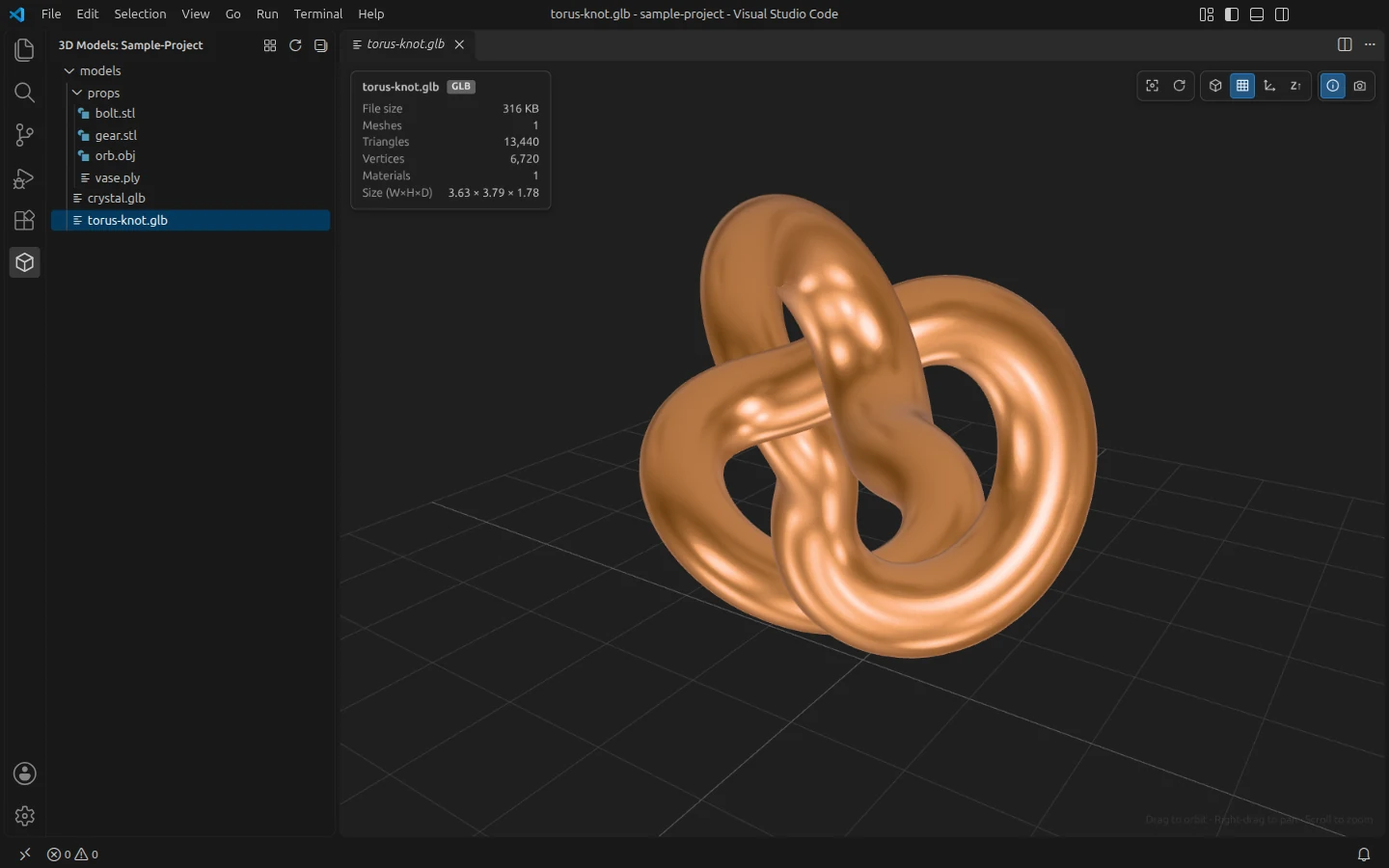
Open a .glb, .gltf, .obj, .fbx, .stl, .ply, .dae or .3mf file in VS Code and it opens in an interactive viewer, with orbit, pan and zoom, instead of as unreadable text or binary.
A 3D Models view in the side bar lists only the model files in your project, as a folder tree or as a gallery of thumbnails. The viewer and the view follow your colour theme.
What it does
- Opens glTF 2.0 (.glb and .gltf, with textures, PBR materials, animations, and Draco, Meshopt and KTX2 compression), OBJ with its .mtl and textures, FBX with skeletal animations, STL, PLY, COLLADA and 3MF files
- A 3D Models view that shows only the model files and the folders that hold them, and updates as files are added, moved or deleted
- A gallery with rendered thumbnails, a name filter and a size slider; thumbnails are kept for each workspace and redrawn only when a model changes
- Orbit, pan and zoom, an info panel (meshes, triangles, vertices, materials, size) and animation playback with a timeline
- Wireframe, grid and axes switches, a Z-up switch for CAD and 3D-printing files, and a screenshot of the view as a PNG with a transparent background
- Reloads by itself when the model, or a texture it uses, changes on disk
- Missing textures are listed as warnings, and the preview carries on
Install
You need
- VS Code 1.90 or newer
- Any system VS Code runs on; the viewer uses WebGL
Steps
-
Download the .vsix file.
-
In VS Code, open the Extensions view, click the … menu at its top, choose Install from VSIX…, and pick the file. Or, from a terminal:
code --install-extension 3d-model-preview-0.3.0.vsix -
Open a model file, or click the cube in the Activity Bar to see every model in your project.
Good to know
- It isn't on the Visual Studio Marketplace or Open VSX yet, so it installs from the file.
- In the gallery, models larger than 100 MB get a placeholder card instead of a thumbnail.
- To see a .gltf or .obj file as text, right-click its tab and choose Reopen Editor With… then Text Editor.
More screenshots
-
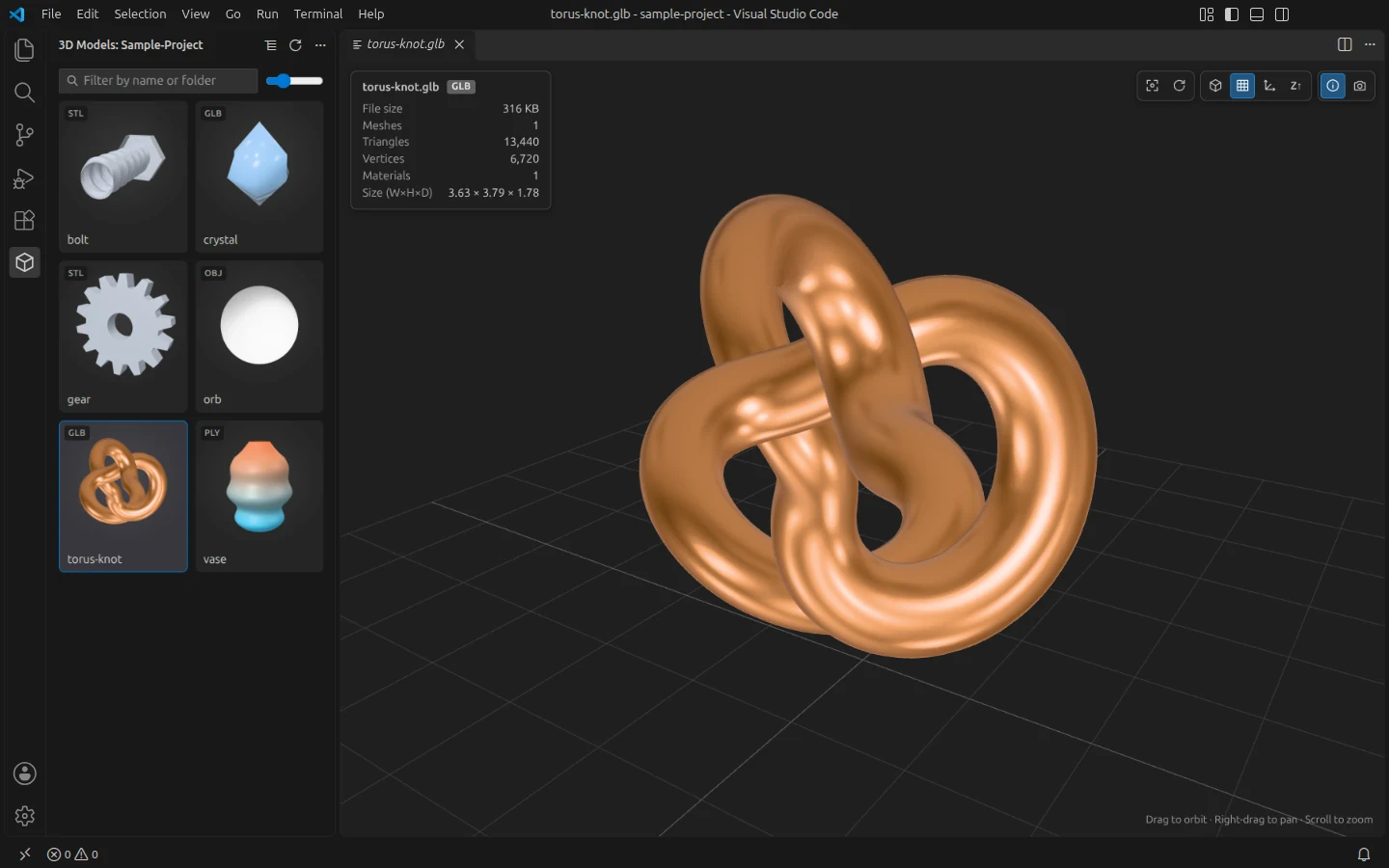
The gallery view, with a thumbnail of every model. -
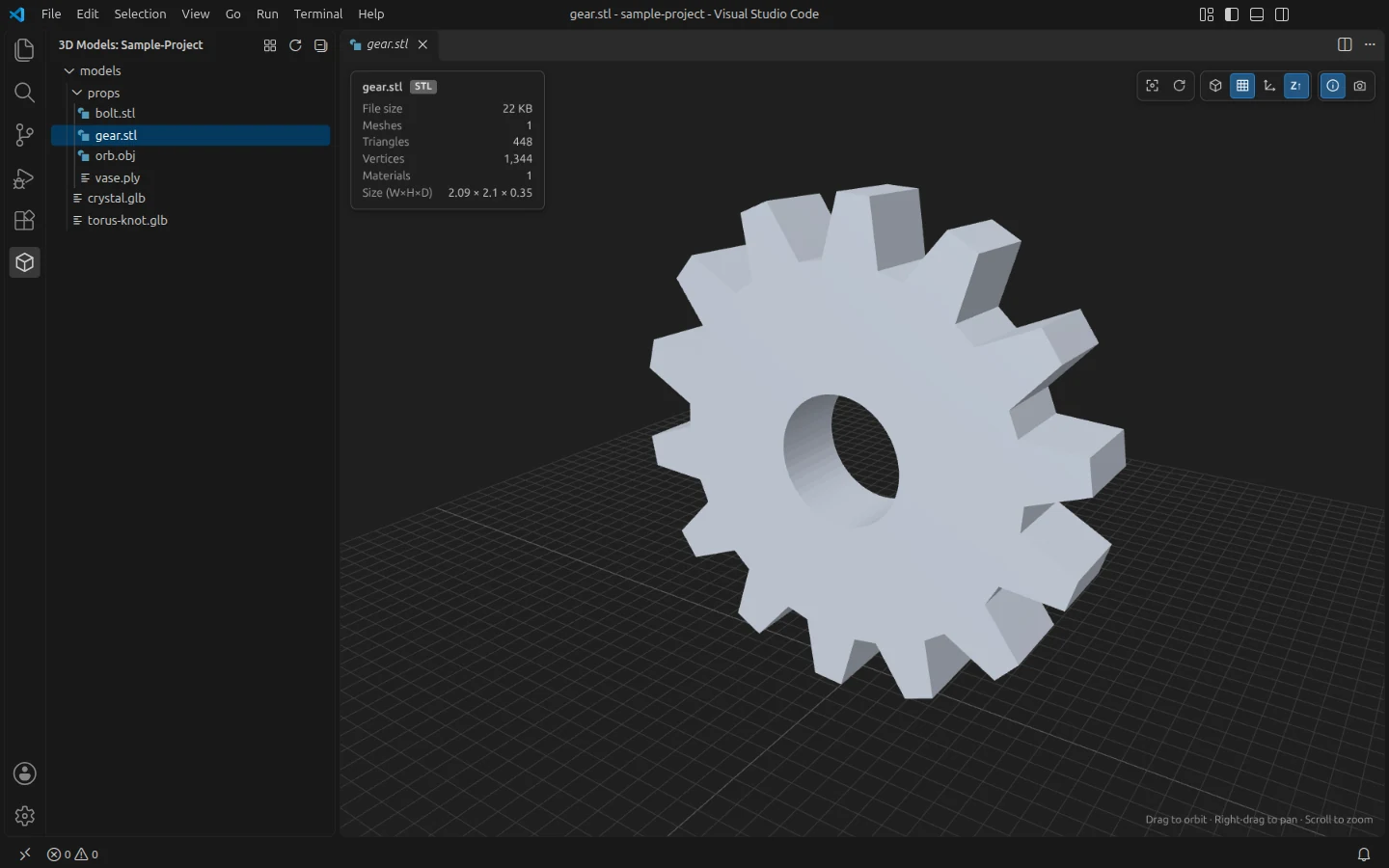
STL files open Z-up, the way CAD and 3D-printing tools expect. -
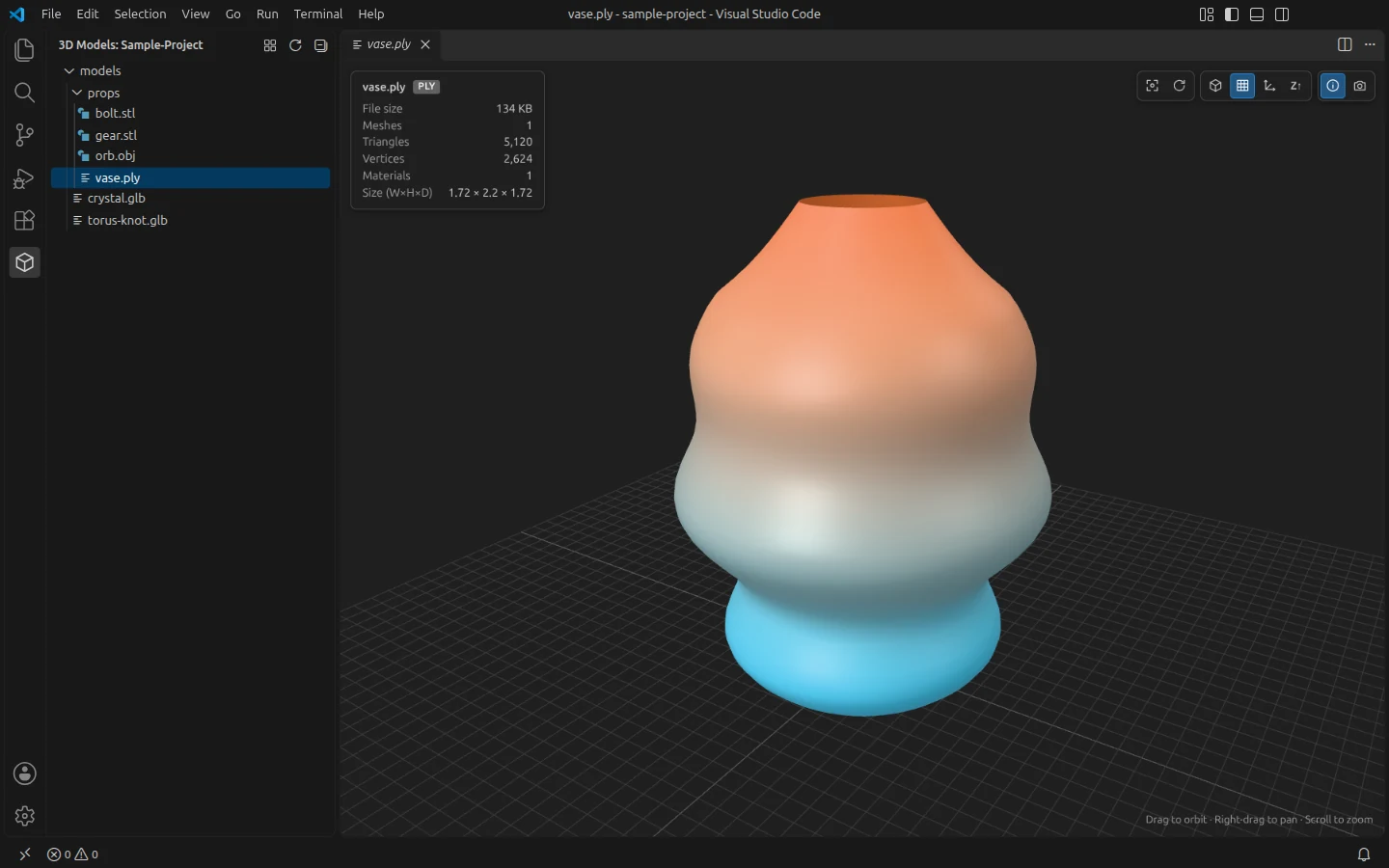
PLY files show their vertex colours. -
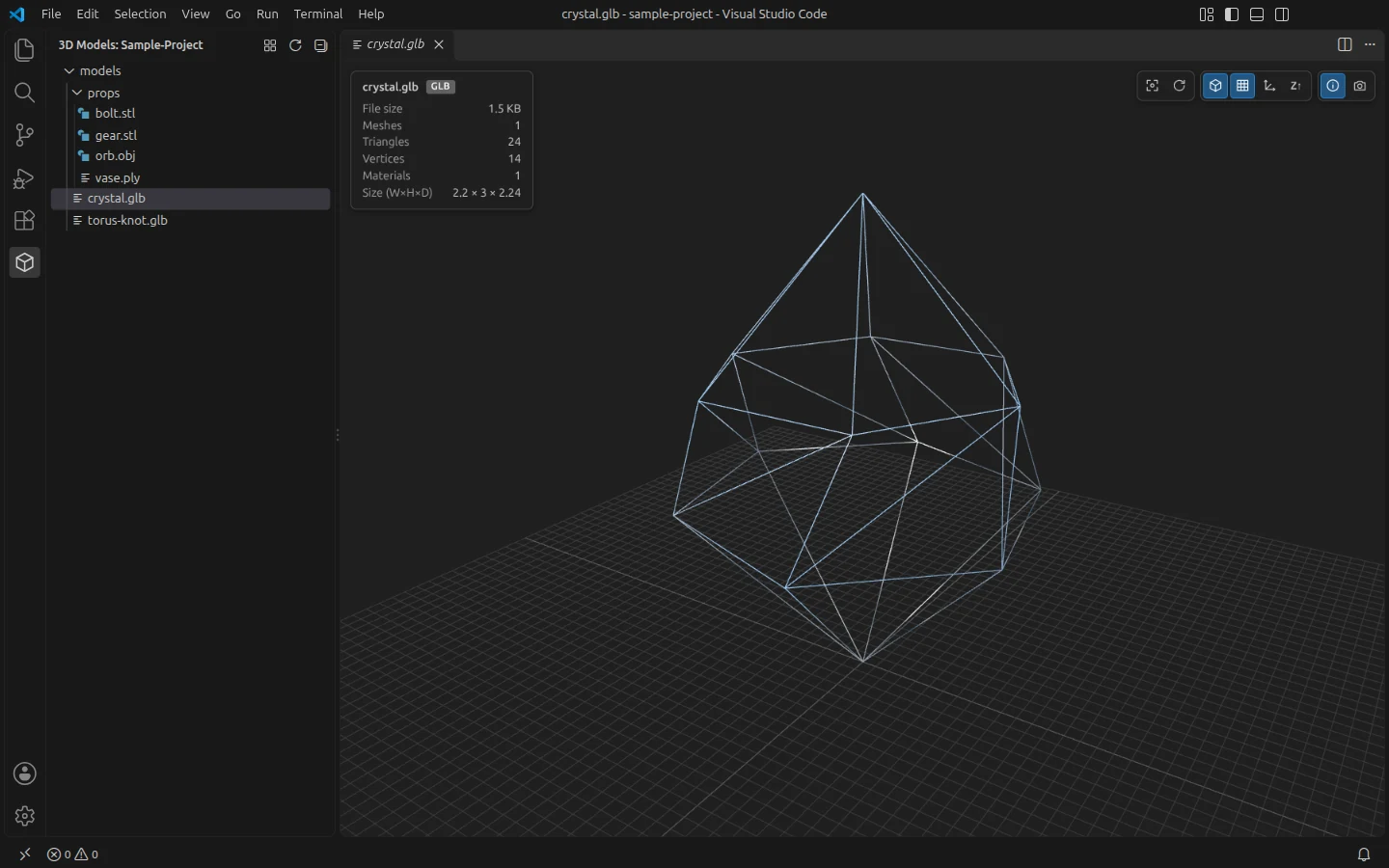
Wireframe, one key press away (W). -
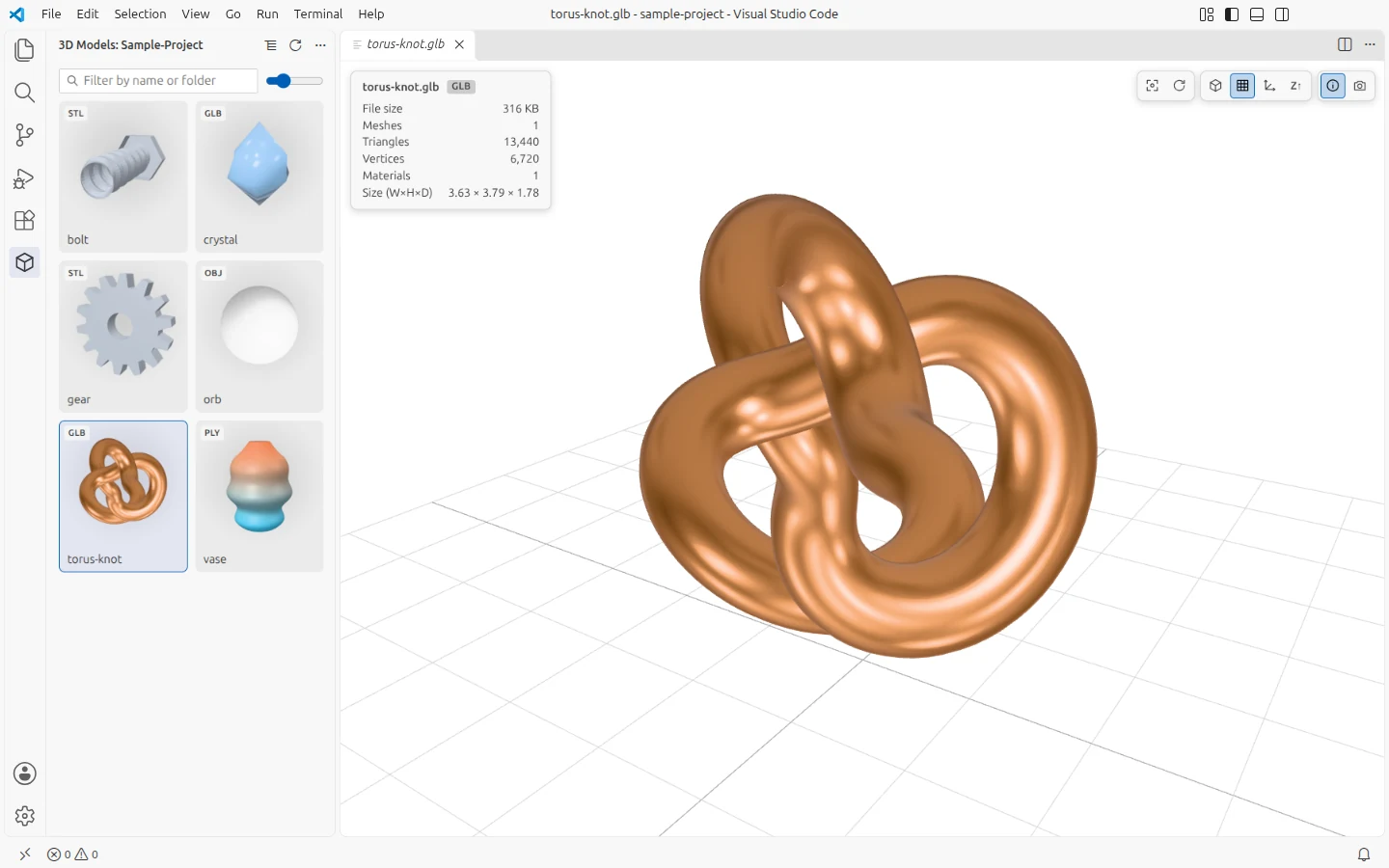
The viewer follows your colour theme, light or dark.
The models in the screenshots are shapes made for them; nothing here is from a real project.